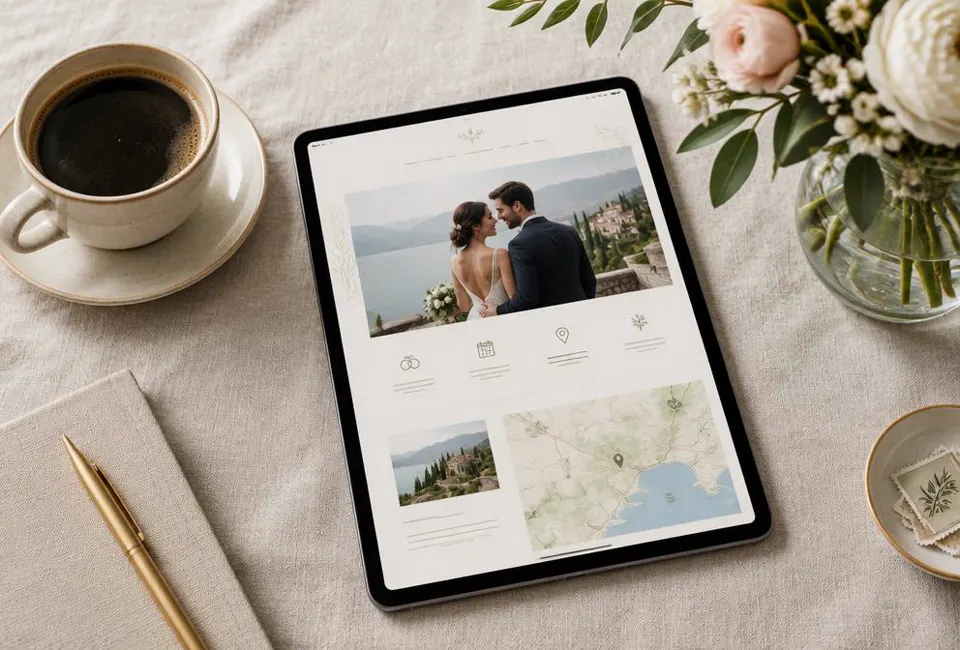
The Core Logistics Framework
The foundation of a successful wedding website content checklist begins with the logistical framework that eliminates guest uncertainty. By centralizing core data points like precise timing and spatial coordinates, you transform your site into an active navigation tool rather than a static digital brochure.
Every logistics framework must prioritize the full schedule of events to ensure guests remain oriented throughout the celebration. Instead of listing a single start time, couples like Elena and Marcus provide a granular breakdown including the arrival window, the ceremony commencement, and the transition to the reception. This level of detail prevents the common error of guests arriving during the processional or missing the final shuttle. The schedule acts as the primary source of truth, reducing the volume of direct inquiries regarding the flow of the day. A well structured timeline allows travelers to plan their departure from hotels with confidence and precision.
Integrated Mapping and Spatial Accuracy
Relying on a simple text address is a significant oversight in the wedding website content checklist. Digital map integrations are non negotiable for modern events. Provide direct links to Google Maps or Apple Maps, specifically pinning the exact entrance to the venue rather than just the general property coordinates. For remote locations, include a downloadable offline map or a photo of the venue gates. This is particularly vital for international guests who may not have reliable data roaming. Clear visual cues ensure that your friends and family spend their energy celebrating your union rather than navigating complex traffic patterns or hidden rural driveways.
| Component | Guest Expectation | Required Data Point |
|---|---|---|
| Ceremony Start | When to be seated | Invite time vs. Music start |
| Venue Location | Precise parking area | Latitude and longitude pins |
| Shuttle Service | Last departure time | Route and frequency details |
| End of Night | When to book taxis | Official reception conclusion |
Defining the dress code is the most effective way to manage guest comfort and aesthetic cohesion. Ambiguity often leads to guests feeling either underdressed or overly formal. A successful script for 'Black Tie' would state: We look forward to a formal evening where guests are invited to wear tuxedos or floor length evening gowns. Conversely, for 'Cocktail' attire, use this phrasing: We suggest a balance between elegant and comfortable, such as a suit with or without a tie, or a knee length or midi dress. Clarifying these definitions eliminates the anxiety associated with vague terms like 'smart casual' and ensures your photos reflect the intended atmosphere of the event.
While the global average cost for weddings varies, with the US average at about $33,000 according to The Knot Real Weddings Study 2025 and Australia at about A$35,315 per Easy Weddings 2025, the cost of a clear website is negligible. In Canada, where the average is about C$30,000 per RBC, or the UK at about £20,600 per Bridebook 2024, the logistical section remains the highest value per pixel. Investing time in these core data points protects the financial investment you have made by ensuring every guest is present and prepared for every moment you have carefully planned and funded.
Core Logistics Essentials
- Interactive map link with specific venue entrance pin
- Arrival window for guests prior to the processional
- Clear dress code definition with specific garment examples
- Full schedule including cocktail hour and dinner start
- Last call and official event conclusion time
- Parking availability and valet instructions if applicable
- Alternative transport options like local taxi numbers
- Inclement weather plan or indoor versus outdoor indicator
Digital RSVP and Dietary Data Collection
Effective online response forms transform the wedding website content checklist from a simple guest list into a powerful logistics engine. By structuring your digital RSVP to capture granular data, you eliminate the stress of manual follow up calls and ensure every guest feels seen and safe.
The transition from paper cards to digital portals allows couples to gather complex data that physical mail simply cannot accommodate. A common mistake is using a single text box for all requirements, which leads to vague responses like 'no seafood' that leave caterers guessing. Instead, use a structured decision framework where guests must select their meal preference first, followed by a mandatory field for allergies. For example, when Sarah and Leo built their site, they found that Aunt Jean appreciated a specific drop down menu rather than a blank space. This structured approach ensures that dietary needs are categorized correctly for the venue chef, reducing the risk of cross contamination errors.
The Meal Choice and Dietary Logic Framework
When wording your meal choices, clarity triumphs over flowery descriptions. Use the 'Main Ingredient + Primary Side' formula, such as 'Herb Roasted Chicken with Root Vegetables' rather than just 'Poultry.' For guests with severe restrictions, provide a multi select list of common allergens. This is particularly vital in countries with diverse culinary traditions where ingredients like peanuts, shellfish, or gluten are prevalent. By listing these explicitly, you prompt guests to think critically about their needs. If a guest selects 'Other,' ensure there is a secondary text box limited to one hundred characters to keep descriptions concise and actionable for your catering team.
| Field Type | Recommended Wording | Data Purpose |
|---|---|---|
| Radio Button | Attending or Respectfully Declines | Final Headcount Tracking |
| Dropdown | Select Your Entrée (Beef, Fish, Vegan) | Kitchen Production Totals |
| Multi-Select | Allergies (Gluten, Dairy, Nuts, Shellfish) | Cross-Contamination Prevention |
| Short Text | List specific medical dietary needs | Individual Guest Safety |
| Short Text | Favorite song to get you on the dance floor | Reception Entertainment Planning |
Timing is the final component of a successful digital RSVP strategy. Set your deadline at least four to six weeks before the event. This buffer allows you to finalize seating charts and provide vendors with exact numbers before the final payment is due. Given that wedding costs average about 33,000 dollars in the US (The Knot Real Weddings Study 2025) and 35,315 Australian dollars (Easy Weddings 2025), every plate matters for your budget. Precision in your digital form prevents paying for 'ghost' guests who failed to decline or ordering expensive specialized meals for people who only have mild preferences rather than true allergies.
RSVP Form Essential Elements
- Include a clear field for the first and last name of every attendee.
- Provide a dedicated section for plus one names to avoid 'Guest of' placeholders.
- List the eight most common global allergens in a check box format.
- Add a toggle for child vs adult meals to assist with pricing tiers.
- Include a question about transportation needs for shuttle planning.
- Create a 'Submit' confirmation message that displays immediately after clicking.
- Enable an automated email receipt so guests have a record of their choices.
- Include a link to the FAQ page for those who have logistics questions.
Finally, ensure your wording remains inclusive and welcoming. Instead of asking 'Do you have a food problem?', try 'Please let us know how we can best accommodate your dietary needs.' For guests like Aunt Jean who may have life threatening allergies, this phrasing provides peace of mind. Use the digital space to explain that while you will try to accommodate everyone, the venue needs the information by a specific date to ensure safety. This professional yet warm tone helps guests feel like their comfort is a priority. Once the data is collected, you can export a clean spreadsheet directly to your coordinator, saving hours of manual data entry.
The Guest Travel and Accommodation Concierge
Transforming your wedding website into a travel concierge ensures your guests feel supported and organized. This section of your wedding website content checklist focuses on bridging the gap between an invitation and a successful arrival.
For out of town guests, the transition from flight to ceremony is the most stressful part of the wedding experience. You must provide clarity on hotel blocks to prevent guests from booking in unsafe or inconvenient areas. When listing accommodation, distinguish between your official room block, where you have negotiated a set rate, and recommended boutique hotels nearby. Include the direct booking link, the specific group code, and the expiration date for the discounted rate. According to The Knot Real Weddings Study 2025, the US average wedding cost is about $33,000, so helping guests manage their own travel expenses via early booking codes is a considerate gesture.
The Getting Here Framework for Global Guests
Design your travel page with a hierarchy of information starting from the furthest point of entry. If you are hosting a destination wedding in Italy or Mexico, list the nearest international airport codes first. Provide estimated travel times from the airport to the main hotel hub using various modes of transport. For example, Sarah and Mateo included a table showing that a private shuttle takes 45 minutes while the local train takes 90 minutes. This transparency allows guests to budget their time and money effectively. Mention local rideshare availability, as services like Uber or Bolt vary significantly in reliability across different global regions.
| Mode of Travel | Typical Duration | Cost Level | Best For |
|---|---|---|---|
| Airport Shuttle | 45 to 60 minutes | Fixed Rate | Groups of 4 plus |
| Local Train | 75 minutes | Low Cost | Solo Travelers |
| Rideshare App | 40 minutes | Variable | Convenience |
| Car Rental | Self paced | High Cost | Exploring Nearby |
A common mistake is assuming all guests will use GPS effectively in a foreign country. Create a Getting Here script that is easy to copy and paste into a phone note. This should include the venue address in the local language, a photo of the entrance gate, and specific instructions for the last 500 meters of the journey. For rural weddings, specify if the roads are unpaved or narrow. If your wedding is in Australia, where the average cost is about A$35,315 per Easy Weddings 2025, ensuring guests arrive without getting lost protects the investment you have made in the ceremony timeline.
Include a section on local mobility for the duration of the wedding weekend. Guests need to know if they can walk between the hotel and the venue or if a shuttle is provided. If you are hosting a multi day event, list the nearest pharmacy, grocery store, and coffee shop. This reduces the number of individual questions you will receive during the week of the wedding. In Canada, where the average cost is C$30,000 according to RBC, providing these details helps guests feel like their attendance is valued beyond just their presence at the ceremony.
Essential Travel Page Components
- Primary and secondary airport codes with distance to venue
- Direct hyperlink to the discounted hotel room block
- Room block expiration date and group booking code
- Local taxi company phone numbers for non app areas
- Walking directions from the hotel to the ceremony site
- Parking availability and cost at the wedding venue
- Shuttle bus departure times and pickup locations
- Recommended local car rental agencies
- Emergency contact for travel issues on the day
Finally, address the financial sensitivity of travel. If you have guests coming from the UK, where costs range from £20,600 per Bridebook 2024 to £23,000 per Which? 2024, they may appreciate a range of accommodation options. Offer a luxury, mid range, and budget friendly choice. Use a decision framework: if a guest wants to be in the heart of the party, suggest the main block. If they prefer quiet, suggest a bed and breakfast a mile away. Providing these tiered options demonstrates that you respect their personal budget and travel preferences while ensuring they remain part of the celebration.
Registry Etiquette and Financial Sensitivity
Navigating the registry section requires a delicate balance between providing clear direction for guests and acknowledging the significant financial investment they make to attend.
When building your wedding website content checklist, acknowledge the economic reality of modern celebrations. Hosting a wedding is a major investment, but attending one is also costly for guests. For example, the US average wedding cost is about $33,000 according to The Knot Real Weddings Study 2025, while the UK average ranges from £20,600 per Bridebook 2024 to £23,000 per Which? 2024. In Australia, the average is A$35,315 according to Easy Weddings 2025, and Canada sits at approximately C$30,000 per RBC. These figures serve as a reminder that guests may already be stretching their budgets for travel and attire. Your wording should prioritize gratitude over expectation to ensure every guest feels welcome regardless of their contribution.
Tailored Scripts for Every Giving Style
Consider the cultural norms of your attendees. In many cultures, physical gifts are traditional, while others prefer cash contributions. For example, Maria and Hiro might choose a traditional registry for older relatives but include a honeymoon fund for their peers. A script for a traditional registry could state: Your presence at our wedding is the greatest gift of all. However, if you wish to honor us with a gift, we have registered at the following stores for items to help us start our new home. This approach provides clear links while maintaining a humble tone. Avoid using aggressive language or demands for specific brands to keep the focus on the celebration itself.
For couples who already have a furnished home, a honeymoon fund or a 'no gift' request is increasingly common. Liam and Sarah might use a script like: We are lucky to have a home full of everything we need. If you would like to contribute to our future, a contribution toward our dream honeymoon in Greece would be deeply appreciated. If you prefer a 'no gift' policy, try: Your love and laughter are the only gifts we require. Please, no gifts. This transparency prevents guest anxiety and reduces the likelihood of receiving redundant physical items that you do not have space to store in your home.
| Registry Type | Primary Goal | Key Wording Phrase |
|---|---|---|
| Traditional Registry | Building a home | Help us feather our nest. |
| Honeymoon Fund | Creating experiences | Help us make memories. |
| Charity Donation | Social impact | In lieu of gifts, please donate. |
| No Gifts Requested | Purely social focus | Your presence is our present. |
| Cash/Wishing Well | General savings | A contribution to our future. |
A common mistake is placing the registry link on the physical invitation, which can be perceived as transactional in many regions. Instead, use the wedding website as the central hub for this information. This allows you to provide context and warmth that a printed card cannot convey. When guests visit the site, they should see the logistics first, with the registry as a secondary tab. This hierarchy reinforces that the event is about the gathering of loved ones, not the acquisition of goods. By using the website for these details, you respect tradition while embracing the convenience of modern digital tools.
Registry Content Audit
- Include a variety of price points for physical items.
- Link directly to the registry providers to avoid guest search errors.
- Explain the purpose of a honeymoon fund clearly.
- Include a 'thank you' message at the top of the registry page.
- Ensure international guests have an easy way to contribute.
- Verify all links work on both desktop and mobile devices.
- Update the registry frequently to show what has been purchased.
- Mention shipping addresses clearly for physical gifts.
The Storytelling and Wedding Party Profiles
Personalizing your wedding website content checklist involves transforming a digital itinerary into a narrative that connects your guests to your journey. This section focuses on humanizing the event by sharing your history and introducing the advocates who will stand beside you.
The narrative section is often the most visited page on a wedding website because it provides context for guests who may only know one member of the couple. Instead of a chronological biography, focus on a specific emotional arc. For example, Elena and Marcus might share the moment they realized their shared love for local bookstores outweighed their initial awkward first date. Keep the tone conversational and inclusive. Avoid inside jokes that exclude 90 percent of the audience. The goal is to make every guest feel like an insider before they even arrive at the venue, fostering a sense of community among diverse groups.
The Under 200 Word Narrative Formula
A Four-Step Structure for Your Story
- The Hook: Start with a specific setting or unexpected detail from the day you met.
- The Turning Point: Identify the moment the relationship shifted from casual to committed.
- The Shared Value: Mention one hobby or goal that defines your partnership today.
- The Look Ahead: End with a sentence expressing your excitement for the celebration.
Writing the wedding party profiles requires a balance between honoring your friends and maintaining brevity. A common mistake is listing professional achievements or academic credentials, which makes the page feel like a corporate directory. Instead, focus on the 'Relationship Anchor.' This is the specific reason this person is in the wedding party. For instance, describe a bridesmaid as the friend who stayed on the phone during a cross country move rather than listing her job title. Use short, punchy sentences. If you have a large party, aim for three sentences per person to ensure the page remains readable on mobile devices.
| Role | The Connection | The Fun Fact | Drafting Tip |
|---|---|---|---|
| Maid of Honor | Met in second grade | Can recite every 90s pop lyric | Focus on longevity |
| Best Man | Former college roommate | Makes the best sourdough bread | Focus on shared growth |
| Bridesmaid | Met at a previous job | Has traveled to five continents | Focus on adventures |
| Groomsman | Cousin and childhood ally | Knows all the family secrets | Focus on family ties |
| Flower Girl | Niece and honorary boss | Expert at finding hidden candy | Keep it light and cute |
When drafting these profiles, consider the global nature of your audience. If guests are traveling from different countries, use clear language and avoid regional slang that might be confusing. The storytelling should feel warm and accessible. While the average wedding cost in Australia is about A$35,315 according to Easy Weddings 2025, the investment in your website content costs nothing but time. By focusing on these personal details, you add value to the guest experience that far outweighs physical decor. High quality storytelling acts as a social icebreaker for guests who will meet for the first time during the cocktail hour.
Storytelling and Profile Quality Check
- Read the 'How We Met' story aloud to check for natural flow.
- Verify that every wedding party member has a consistent photo style.
- Remove any mentions of exes or past relationship hurdles.
- Ensure all names and nicknames are spelled correctly.
- Check that the word count for the main story is under 200 words.
- Confirm that no private or embarrassing stories are shared without consent.
- Cross reference the tone with the rest of the website for consistency.
- Ask a neutral friend to read the profiles for clarity.
- Verify that the text does not sound like a professional resume.
Finally, remember that the wedding party section is an opportunity to show gratitude. Instead of just stating their names, use this space to publicly acknowledge their support during your planning process. This approach shifts the focus from a list of names to a celebration of friendship. For couples following the average Canadian wedding budget of C$30,000 cited by RBC, digital storytelling is a cost effective way to build excitement. By the time guests finish reading this section, they should feel like they know your inner circle, creating a more intimate atmosphere for the actual wedding day.
Boundary Setting: The FAQ Power Move
The FAQ section serves as the ultimate buffer for couples, allowing them to communicate nonnegotiable wedding rules without the discomfort of individual confrontations. By addressing sensitive topics upfront, couples like Chloe and Sam can maintain their wedding vision while providing guests with clear, respectful expectations.
Boundary setting is often the most stressful part of the wedding website content checklist because it involves saying no to loved ones. However, a well written FAQ page transforms these potential conflicts into standard event policies. For Chloe and Sam, who are planning a high stakes event where the average cost in Australia is approximately A$35,315 according to Easy Weddings 2025, every guest count decision carries significant weight. By using neutral, firm language, couples can prevent the inevitable follow up texts and phone calls that occur when expectations are left ambiguous or open to interpretation.
Scripts for Adult Only and Plus One Limitations
When addressing an adults only policy, the script must be empathetic but absolute to avoid guests feeling singled out. A successful FAQ entry might read: While we love your little ones, our wedding will be an adults only event to allow all our guests a night of relaxation. We hope this advance notice allows you to still share in our big day. For plus one limitations, clarity is key to managing the budget. A polite script for this scenario is: Due to venue capacity limits, we can only accommodate the guests specifically named on your invitation. We appreciate your understanding in helping us stay within our intimate guest count.
| Topic | The Goal | The Script |
|---|---|---|
| Unplugged Ceremony | Prevent camera interference | We invite you to be fully present. Please keep all devices off during the vows. |
| Social Media Posting | Control over first images | We love photos, but please wait until we share our first official photo before posting. |
| Privacy Concerns | Keep the event private | We request that no photos of the couple be shared on public profiles. Thank you. |
| Dress Code Clarity | Avoid guest confusion | The event is Black Tie. We kindly ask guests to avoid wearing white or cream tones. |
A common mistake couples make is over explaining their reasoning, which often opens the door for guests to offer solutions or arguments. If you explain that you are excluding children because of a specific cost, a guest might offer to pay for their child's meal, creating a new awkward situation. Instead, stick to the policy itself rather than the financial or logistical why. Whether your budget aligns with the UK average of £20,600 per Bridebook 2024 or the Canadian average of C$30,000 per RBC, your boundaries are valid based on your personal preferences and should be stated as final decisions.
Finally, the FAQ section is the ideal place to address photo privacy and unplugged ceremony requests. In an era of instant social media uploads, Chloe and Sam might prefer that their first professional images are the ones that circulate. Stating a request like: We have hired a wonderful professional photographer and would love to see your faces, not your phones, during the ceremony, ensures the aisle remains clear. This approach protects the investment made in photography and ensures the couple retains control over their digital footprint on one of the most important days of their lives.
FAQ Boundary Content Essentials
- Confirm the specific age cutoff for an adults only policy.
- Clearly state that only named invitees are included to address plus ones.
- Define the exact start time for the unplugged ceremony period.
- Provide clear instructions on when and where guests can post photos.
- Include a polite reminder about the specific dress code and color restrictions.
- Address whether the bar will be hosted or if guests need local currency.
- Specify if the venue has restricted areas or strictly no smoking zones.
- Include a deadline for all special dietary requests via the RSVP portal.
Mobile Optimization and Security Checklist
The final stage of your wedding website content checklist ensures that your digital hub remains accessible and secure for every guest regardless of their device or location. Since modern attendees often reference logistics while in transit, prioritizing mobile performance and data privacy is a non-negotiable step for a seamless experience.
Mobile responsiveness is the most critical technical factor because a majority of guests will access your site via smartphone while traveling to your venue. If your layout requires excessive zooming to read the ceremony time or if the 'RSVP' button is too small for a thumb to tap, you risk creating friction for your attendees. Consider a couple like Sarah and David who found that their custom fonts were unreadable on small screens. They resolved this by testing their site on both iOS and Android devices to ensure that text remained legible and that navigation menus did not overlap with important site imagery.
Prioritizing Privacy and Guest Data Security
Security is paramount when you are collecting personal information such as dietary restrictions, email addresses, and phone numbers. Password protection prevents your event details from being indexed by search engines and protects your registry from being accessed by strangers. While the average wedding costs vary significantly by region, such as about C$30,000 in Canada according to RBC or A$35,315 in Australia according to the Easy Weddings 2025 report, the value of your guests' privacy is priceless. Implement a simple, memorable password and ensure your site uses an SSL certificate to encrypt all data submitted through your RSVP forms.
Testing your interactive elements is a mandatory pre-launch task. Broken links to hotel room blocks or malfunctioning Google Maps embeds can cause significant confusion on the wedding day. Use a decision framework to evaluate every link: does it open in a new tab, is the destination correct, and does it load in under three seconds? For example, if your venue is in a remote area with spotty cellular service, provide a downloadable PDF version of the directions. This ensures that even if the live map fails to load, your guests have a reliable backup plan.
The 5-Point Pre-Launch Audit
- Verify all RSVP form fields submit correctly and trigger a confirmation email.
- Check that all external travel and accommodation links open in new browser tabs.
- Test the site loading speed on a 4G connection to simulate guest travel conditions.
- Confirm that the password protection screen is active and functioning on mobile devices.
- Inspect all images to ensure they are compressed for fast loading without losing clarity.
- Validate that the Google Maps pin is placed at the exact entrance of the venue.
- Ensure the registry links direct guests to the correct personalized lists.
- Read through all FAQ answers one final time to catch any date or time typos.
Finally, consider the user experience of your elderly guests or those with accessibility needs. High contrast between text and background colors is essential for readability in bright outdoor sunlight. If your site includes a countdown timer or auto-playing music, consider removing these elements as they often cause mobile browsers to lag. A clean, functional site that prioritizes information over flashy animations will always serve your guests better. By following this wedding website content checklist, you ensure that your digital presence is as polished and welcoming as the celebration itself.